News & Updates
What's new in adilas: new features, changes and tips.
Snow Owl – Custom Colors
[alert_message id=”e18ea616df8f7c92bade43dcf86067fc” type=”info” title=”For Your Information” text=”As of 3/1/2018, AFB the third-party solution has been merged with Adilas. Please refer to the most recent posts for the most current information.” icon=”fa fa-info-circle” close=”false” alignment=”le…
General News and UpdatesHelp FilesSupportTips and TricksMetrc – Manifests
Metrc – Manifests Transfers/Manifests available. From the Metrc API Home, click on transfers. Metrc/Adilas – Transfers Update Click on the Manifest number to see details of all packages. Manifest number is auto populated on Adilas PO as new inventory is added. Please let us know if there is additio…
Cannabis UpdatesSnow Owl Theme
[alert_message id=”9f064a42af563c15921903f875d2ff9a” type=”info” title=”For Your Information” text=”As of 3/1/2018, AFB the third-party solution has been merged with Adilas. Please refer to the most recent posts for the most current information.” icon=”fa fa-info-circle” close=”false” alignment=”le…
General News and UpdatesHelp FilesSupportTips and TricksSnow Owl – Text Editor
[alert_message id=”947f5da93739d906adc87e4f5879aaa7″ type=”info” title=”For Your Information” text=”As of 3/1/2018, AFB the third-party solution has been merged with Adilas. Please refer to the most recent posts for the most current information.” icon=”fa fa-info-circle” close=”true” alignment=”lef…
Tips and TricksSnow Owl – Data Tables
[alert_message id=”ec4f0ab81d6eb0574b918acc97156691″ type=”info” title=”For Your Information” text=”As of 3/1/2018, AFB the third-party solution has been merged with Adilas. Please refer to the most recent posts for the most current information.” icon=”fa fa-info-circle” close=”true” alignment=”lef…
Tips and TricksWeight/Quantity Report
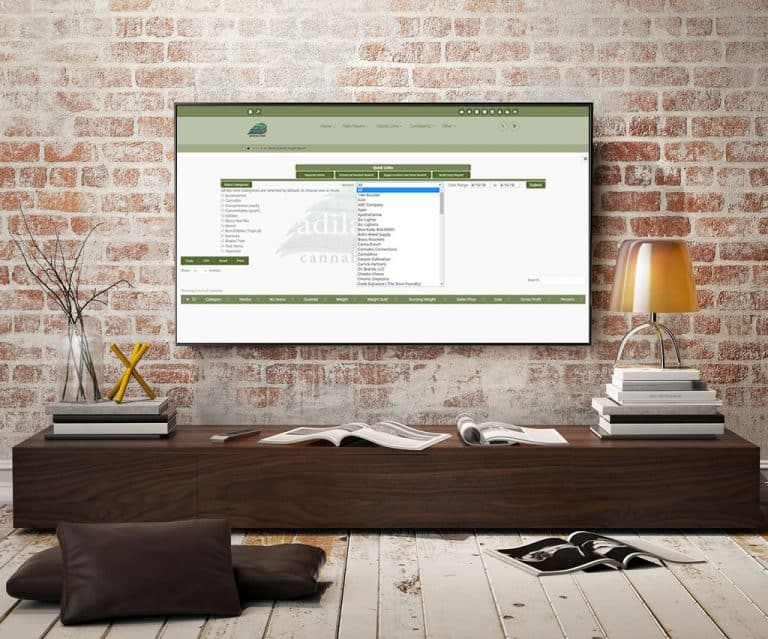
Packaged Cannabis Specific If selling pre-packaged, this report shows total weight (grams) sold. From the Reports Homepage, click on the quantity/weight link. The new drop down allows multi category selection.
Cannabis UpdatesMetrc – Batch Number
Metrc – Batch Number Metrc Batch Numbers Found on the Metrc Inventory Comparision or Add New Inventory pages. View, Sort or Filter the Batch Number.
Cannabis UpdatesMetrc – Update Inventory
Metrc – Update Inventory Adjust Inventory. From the Metrc Inventory Comparison, click on the icon. Updates both Metrc and Adilas. Note: In Colorado, submit sales via the API prior to viewing the inventory comparison. Metrc/Adilas Inventory Update Displays both package and child current quantity. Ad…
Cannabis UpdatesSecurity at Adilas
Security at Adilas has been provided by Newtek for 20 Years Newtek Technology Solutions is a leading managed technology and I.T. infrastructure company that has been around since 1997. Adilas leaves backup and storage to the professionals Operations are based out of Phoenix, Arizona, and have a dat…
General News and UpdatesCart Favorite Buttons
Cart Favorite Buttons Tied to the open Child When you click on a button tied to a parent, the system looks to see if the parent is marked “Use Subs Only” Auto detection of one open Child If only one Child is open, system will sell from that Child If more than one Child is open, system will display…
General News and UpdatesTips and TricksMetrc – Plant Destroy
Metrc – Plant Destroy Destroy Plant Vegetative or Flowering. Click on the icon. Add notes and destroy, updates Metrc.
Cannabis UpdatesSub Button on Cart
Sub Button on Invoice Lines Child ID Helps choose the Child from Online Parent Orders Click to select or change sub Auto detection or select new Child. Ability to split subs to fill the order. Scan Parent Barcodes Child Barcodes RFID Tags or QR Codes
General News and UpdatesTips and TricksMetrc – Plant API
Metrc – Plant API Metrc Plant API Go to Cultivation Homepage. Click on more details. Benefit from the tons of new functionality.
Cannabis UpdatesFlash Interfaces
Flash Interfaces Go to the “Chooser” Set as default Each person can choose their own interface 🙂
General News and UpdatesTips and TricksMetrc – Sales Details
Metrc – Sales Details Metrc – View Sales Transactions Prior daily totals Daily package details Compare to Adilas
Cannabis Updates